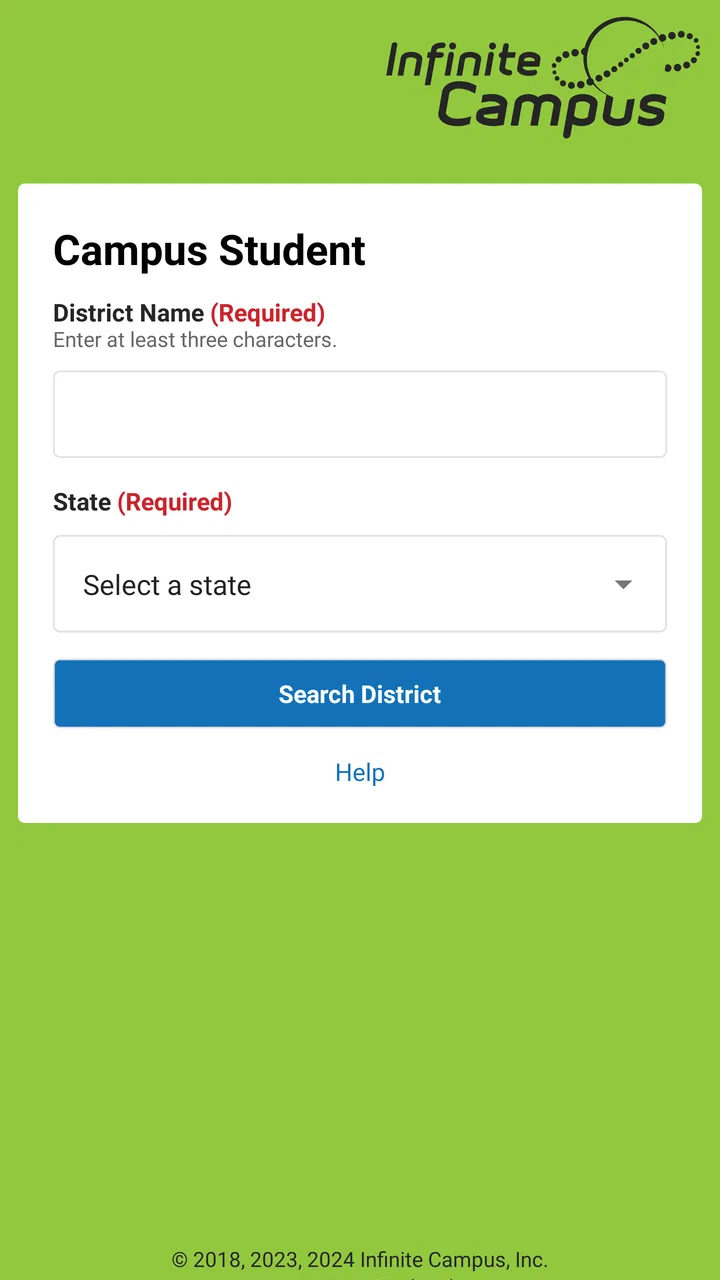
Campus Student
- 3.6
- Rating
- 1.00M
- Installs
- Free
- Price

 Analysis by App-foxy
When school information is scattered between paper notices, emails, classroom conversations, and several different websites, even a simple question can become surprisingly difficult: What is due today, where should I be, and did my attendance record change? Campus Student is designed to bring much of that routine information into one mobile education app. I used it as the student-facing companion for a school connected to Infinite Campus, Inc., and my impression is that it works best as a daily checkpoint rather than as a complete replacement for every tool a school may use.
The app is free, aimed at Everyone, and belongs to the Education category. It has passed the point of being a niche download, with over a million installs, while its average rating sits at 3.6 from roughly seven thousand ratings. That combination tells me something useful: many students and families find it practical, but the experience can depend heavily on how consistently a school maintains its Infinite Campus information. The app itself cannot make incomplete school records feel complete.
From a question about school to a clear daily plan
I find the most useful way to approach Campus Student is to start with a real school-day question, then check whether the app can turn that uncertainty into a practical next step. That keeps a quick check from becoming aimless scrolling and helps separate information the school has recorded from plans I still need to make myself. From there, I can look at how it fits into a clear daily routine.
You May Also Like

 Blood Strike: 2.5 Anniversary
Blood Strike’s Loadouts Turn Every Drop Into a Tactical Gamble
A close look at Blood Strike’s custom loadouts: how fast access to signature weapons reshapes its battle royale rhythm, rewards preparation, and narrows the gap between fights.

 Pandora - Music & Podcasts
Pandora’s Music Is Easy to Start, but Harder to Recover
Pandora’s strength is its low-effort path from a seed to a station. Its weak spot is how much confidence it asks you to place in connection, setup, and quiet recovery.

 8 Ball Pool
 Is Built on Rivalries, Rematches, and Routine
A close look at the rivalries, rematches, shared routines, and unanswered safety questions that turn a quick pool match into a persistent mobile community.

 Samsung Music
’s Quiet Strength Is Playing What You Already Own
Its reach comes less from spectacle than from dependable access to a personal library. That simplicity is both the app’s strongest retention engine and its ceiling.

 AccuWeather: Weather Radar
AccuWeather Review: A Quick, Clear Forecast for Everyday Decisions
For everyday plans, the best forecast is the one you can understand quickly. AccuWeather makes rain timing, radar, and local conditions easy to act on, with a few trade-offs.

 Hill Climb Racing
Why Hill Climb Racing Still Turns Crashes Into One More Run
A tiny car, a bumpy hill and one more upgrade: Hill Climb Racing keeps resurfacing because its simple chaos makes every near-miss feel personal.
More From Our News Desk



Starting with the information you actually need
A realistic use begins with a small problem. Imagine checking your phone before leaving home because you are unsure whether an assignment is due, whether a class was marked absent, or whether the day’s schedule has changed. Instead of opening a general browser and searching through a school website, you open Campus Student and look for the relevant school record.
This starting point matters because the app is not primarily a study platform. It is a window into school-managed information: announcements, assignments, attendance, grades, schedules, and related details. I would not install it expecting video lessons, a built-in tutoring system, or a replacement for a classroom learning environment. Its value is in reducing the number of places you need to check before acting.
The first practical step is getting access through the school’s Infinite Campus setup. That means the app is most useful when your school or district already uses the platform and has given you the correct way to sign in. A student who downloads it without that connection may find the app less useful than expected. This is an important distinction from general school-planning apps, which can often be used immediately to create personal tasks or calendars.
Once access is working, I recommend treating the home screen as a starting point, not as the whole experience. The most useful habit is to move from the overview into the specific area that answers your question. If you are checking a deadline, go to assignments. If you are concerned about a missed class, inspect attendance. If you are planning the day, look at the schedule rather than relying on memory.
Following the daily workflow step by step
My preferred routine begins with announcements. These can provide context that a grade or assignment list cannot: a teacher may have clarified a due date, a school may have shared a reminder, or an administrative message may affect the day. I would not assume that an announcement replaces the original classroom instructions, but it is a useful first scan because it can prevent you from following an outdated plan.
Next, I check assignments and sort my attention by urgency. The useful insight here is that the app is better for confirming the school’s record than for managing the entire workload. I can see what has been entered, but I still need personal judgment to decide how long a task will take, whether materials are at home, and which subject deserves attention first. A student who expects the app to become a full planner may feel limited; a student who wants a dependable list of school-posted work will find the narrower purpose helpful.
Grades are the next checkpoint, but I use them as signals rather than as a complete explanation of performance. A newly posted result can show that work has been processed, while the assignment context may help identify which subject needs attention. The trade-off is emotional as well as practical: checking grades repeatedly can create unnecessary stress, especially when a teacher has not yet entered every piece of work. I find it healthier to use the grade area when making a concrete decision, such as preparing for a conversation or reviewing a subject that needs support.
Attendance deserves a separate check because it is easy to overlook until a record appears incorrect. If I were absent, late, or marked differently from what I remember, I would note the date and raise the question with the appropriate school contact instead of assuming the app can correct it. The app gives the student visibility into the record, but visibility and correction are different steps.
Finally, I review the schedule before leaving. This is especially useful on a busy day when the order of classes, room information, or other schedule details are easy to forget. I would still follow official school instructions if a schedule change is announced elsewhere. The practical benefit is not that the app eliminates every source of confusion; it gives me one more place to verify the plan before I commit to it.
Where the handoffs happen
The most important handoff is between the school’s administrative system and the student’s phone. Campus Student displays information that has been entered or made available through the school’s Infinite Campus environment. That means the app is only as current as the information flowing into it. If a teacher has not posted an assignment, or if an attendance correction is still being processed, the app may not show the outcome a student is waiting for.
A second handoff occurs between the student and a parent or guardian. The student may notice a missing grade, an unexpected attendance entry, or an announcement that affects transportation and after-school plans. The app can make that conversation more specific because everyone can discuss a particular item instead of relying on a vague memory. For families, this is one of the strongest reasons to use it: the conversation can begin with the same school record rather than competing screenshots and assumptions.
There is also a handoff from the app to the classroom. Seeing an assignment does not necessarily explain the teacher’s preferred method for completing it. I would still read the instructions attached to the school’s learning workflow and ask the teacher when something is unclear. Campus Student is useful for locating the obligation; it is not automatically the place where every instruction, file, discussion, or submission happens.
This is where it differs from a personal calendar. A calendar is usually better for combining school, work, appointments, sports, and family commitments. Campus Student is better for checking the school-originated record. I would use the app to verify what the school says, then transfer important deadlines into my own planning system if I need reminders, time estimates, or a broader view of the week.
Turning the information into an outcome
The outcome of a good check is not simply that I opened the app. It is that I leave with a next action. An assignment may lead me to schedule study time. An attendance entry may lead me to contact the school office. A grade may prompt me to review feedback or ask for help. A schedule check may prevent me from arriving unprepared for the first class.
That input-to-action flow is the app’s real strength. It shortens the distance between an official school update and a student’s decision. I especially like it for quick morning checks and for the short review at the end of the school day. Used this way, it becomes a dependable reference point without pretending to be a complete academic coach.
For families, the result can be more consistent communication. A parent who wants to know whether an assignment exists or whether attendance was recorded has a direct place to look, rather than asking the student to reconstruct the entire day. However, I would avoid turning the app into a constant monitoring tool. The information is most helpful when it supports a calm conversation and a practical plan, not when every small change becomes a source of pressure.
Three useful habits beyond the obvious
First, I would use the app as a discrepancy detector. Instead of only checking when something goes wrong, compare the schedule, assignments, and attendance at natural transition points: in the morning, after school, and before discussing a concern with a teacher or family member. This makes it easier to identify whether the problem is a missed personal reminder, an unposted school item, or a record that needs correction.
Second, I would separate confirmation from planning. Campus Student can confirm what has been posted, but a personal planner can handle priorities, travel time, materials, and long-term preparation. Keeping those jobs separate avoids a common mistake: assuming that seeing a due date means the work has been planned. The app tells me what the school record contains; my own system decides how I will respond.
Third, I would use grades and attendance together when looking for a pattern, rather than reacting to one isolated entry. A single grade may not explain a subject’s difficulty, and a single attendance record may need clarification. Viewed alongside assignments and schedule information, the records can help a student prepare a more useful question for a teacher or school office. That is a more productive use than repeatedly refreshing one screen.
Where the workflow breaks
The first weak point is dependence on school participation. Campus Student cannot fill gaps in information that have not been entered into the connected system. If your school uses another platform for assignments, announcements, or submissions, you may still need that separate service. This makes the app less suitable for students looking for one universal dashboard across every class and activity.
The second friction point is that a central record can still require interpretation. A posted assignment may be brief, a grade may appear without enough context, and an attendance mark may not explain why it was entered. I appreciate having access to the record, but I would not treat every displayed item as self-explanatory. The app improves visibility; it does not remove the need for teacher communication.
The third issue is workflow fragmentation. Even when Campus Student shows the assignment, the actual work may happen somewhere else, depending on the school and teacher. Students who want one place for notes, file storage, collaboration, study timers, and personal reminders will probably prefer a broader learning or productivity setup alongside it. The app’s focused design is an advantage for quick reference, but a limitation for end-to-end studying.
There is also a practical access question. Because this is a school-connected service, the usefulness of the account depends on receiving the right school or district access details. I would check those instructions before spending time troubleshooting the app itself. If the problem concerns a record, I would contact the school rather than repeatedly reinstalling the application.
On device compatibility, the current version is 1.11.5 and supports Android 7.0 or later. That makes it accessible on many older Android devices, although the experience can still vary with the phone, the school’s configuration, and the quality of the underlying information. The app was released on September 20, 2018, so it has had time to establish a recognizable role, but longevity should not be confused with universal coverage of every school workflow.
Who should use it and who should look elsewhere
I recommend Campus Student to students whose school actively uses Infinite Campus and who want a straightforward way to check announcements, assignments, attendance, grades, and schedules. It is also a sensible companion for parents or guardians who need a clearer view of school-posted information and want to discuss specific records with a student.
I would be more cautious if your school relies mainly on another learning platform, if you need a powerful personal planner, or if your main goal is independent study. In those situations, a calendar, task manager, classroom platform, or dedicated study app may be the better primary tool. Campus Student can still have a supporting role, but it should not be expected to replace tools built for those purposes.
The free price removes an obvious barrier, and the Everyone content rating makes it broadly approachable. Still, free access does not guarantee that every school feature or daily task will live in the app. The deciding question is not whether the download costs anything; it is whether your school’s information actually flows through Infinite Campus in a way that matches your routine.
My final assessment after following the full workflow
Campus Student succeeds when the job is specific: open the app, confirm the official school information, decide what needs attention, and hand off questions or actions to the right person or tool. I like that it brings several important records into a student-facing experience without forcing me to search through unrelated websites. For a morning schedule check, an after-school assignment review, or a focused conversation about attendance or grades, it can be genuinely useful.
Its limits are just as clear. It is not a universal planner, a complete classroom, or a guarantee that school records are always current. The 3.6 average rating suggests a mixed experience, and I can understand why: the app’s usefulness depends on the quality of the school connection as much as on the interface itself. Some users will want more integrated planning and learning tools, while others will value the focused access.
My recommendation is simple: if your school uses Infinite Campus, install it and build a short daily verification habit around it. Use it to find the official starting point, then move into your calendar, classroom tools, teacher communication, or family planning as needed. Its best role is the bridge between school records and the next practical action, not the entire journey.
FAQs for Campus Student
01What is Campus Student and who can benefit from using it?
Campus Student is a mobile application designed to enhance the educational experience for students by providing easy access to their academic records, schedules, assignments, and grades. It is particularly beneficial for students who wish to stay organized and keep track of their academic responsibilities and performance. Parents and guardians can also benefit by monitoring their child's progress.
02Is Campus Student available for both Android and iOS devices?
Yes, Campus Student is available for download on both Android and iOS platforms. You can find it on the Google Play Store for Android devices and the Apple App Store for iOS devices. This ensures that students using any major mobile operating system can access their academic information seamlessly.
03What features does Campus Student offer to help with academic management?
Campus Student offers a range of features designed to help students manage their academic life efficiently. These include viewing grades, checking assignment due dates, tracking attendance, and accessing class schedules. Additionally, the app provides notifications for important events and deadlines, ensuring students never miss critical updates.
04How secure is the information stored on Campus Student?
Campus Student prioritizes the security of user data by implementing robust encryption protocols and secure login processes. Users are required to log in with their unique credentials, ensuring that personal and academic information is protected. Regular updates and security patches are applied to safeguard against potential vulnerabilities.
05Can parents use Campus Student to track their child's academic progress?
Yes, parents can use Campus Student to monitor their child's academic progress. The app provides access to grades, attendance records, and upcoming assignments, giving parents a comprehensive overview of their child's academic performance. This feature fosters better communication between parents, students, and educators, supporting academic success.
Pros
- User-friendly interface for easy navigation.
- Real-time grade updates keep students informed.
- Customizable notifications for important events.
- Seamless integration with school schedules.
- Supports multiple languages for diverse users.
Cons
- Limited offline functionality.
- Occasional sync issues with school servers.
- In-app ads can be distracting.
- Some features require premium upgrade.
- Initial setup can be time-consuming.

Campus Student
Gallery